Video Player Usage
Loading videos

There are currently two ways to load up a video in the player.
Loading a local video
If you have a video file in your device's storage, you can choose this option and select the video accordingly.
Some old phones hardware do not natively support x265 (HEVC & Nvidia) codec, therefore the browser cannot decode the video.
This causes the player to freeze in a black screen, and play the video's audio instead.
Unfortunately, there is currently no fix for that. If your device seems to have this problem, you need to load up x264 (MPEG) instead.
Loading from a video URL
If you have a link that directly shows / downloads the video upon opening, or is a YouTube video link, you can choose this option and fill in the prompt to try and stream the video online.
Using this method adds a little bit of overhead and might cause minor setbacks on an old device. This is because the network always has to send requests to fetch the URL as a Partial Response.
Some servers do not allow Partial Response requests and therefore a video stream cannot happen in the player.
In that case, you'll need to either wait for the whole video to get downloaded, or choose another server that supports that feature.
YouTube video streaming uses YouTube IFrame API, and tracks your activity (view counts, watch history, etc.).
Loading subtitles
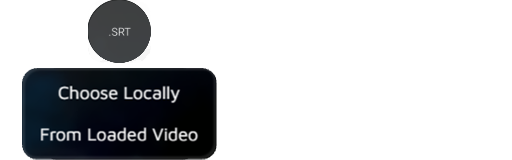
You can add a subtitle to video, which is automatically converted and fixed through the server.
Uploading subtitles
If you have the .srt subtitle file in your device's storage, you can choose that file directly.
Extracting subtitles
If you currently have a video loaded (streaming & local), you can try and extract the embedded subtitles and route them through the server.
-
Locally loaded video:
The website tries loading a plugin called
FFmpeg-WASM, which is a tool that reads your local file and finds its subtitles without uploading it anywhere.noteThe plugin is basically a
Web Assemblywith ~6MB size. It will be automatically downloaded and stored in the static cache library for further usage. -
URL streaming video:
The URL gets sent to the server first. Then, the server downloads most of the video to find its container's embedded subtitles section, and tries to extract them.
This process is more complicated and might fail if the server fails to fetch the URL data. Therefore, your extraction process is visible on chat logs as a system notification.
noteThis feature is rate-limited. If the server is failing to extract the subtitles, consider downloading a subtitle yourself and upload it using the first option.
Video controls
Some side-gesture controls are available below.
Resetting video
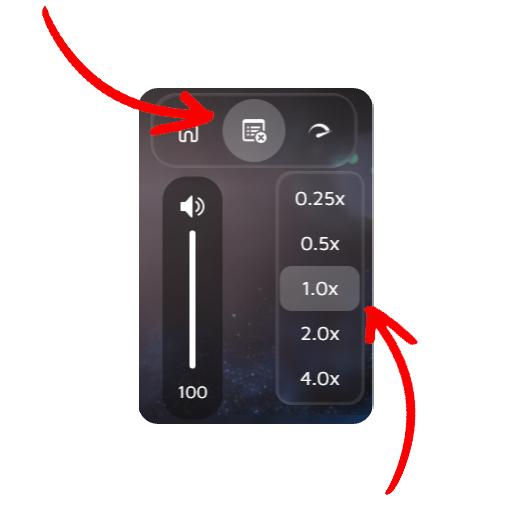
Pressing this button will Reset the video state. This includes:
- Pausing the video
- Setting video time to
00:00 - Removing the subtitle
- Unloading the video
- Stopping a
Live Stream
Playback speed
Sets the playback speed multiplier. This can slow down or speed up the playback.
Setting a high speed might cause the video to get de-synced due to high amount of time changes between clients.
At the same time, some high quality videos might not exactly get as fast as the desired amount. This is due to the hardware decoding bottleneck.
Playback volume
-
Phone:
Swipe from top to bottom, on the left side of the player to quickly change the video's volume.
-
Desktop:
Use mouse scroll to change the video's volume.
Live streaming

Starting a Live Stream will change everyone's video source to the stream source.
- Camera sharing will start capturing your Back camera.
Unfortunately, phone browsers do not support sharing device's screen, therefore it is not possible to share your screen on phones.
State sync architecture
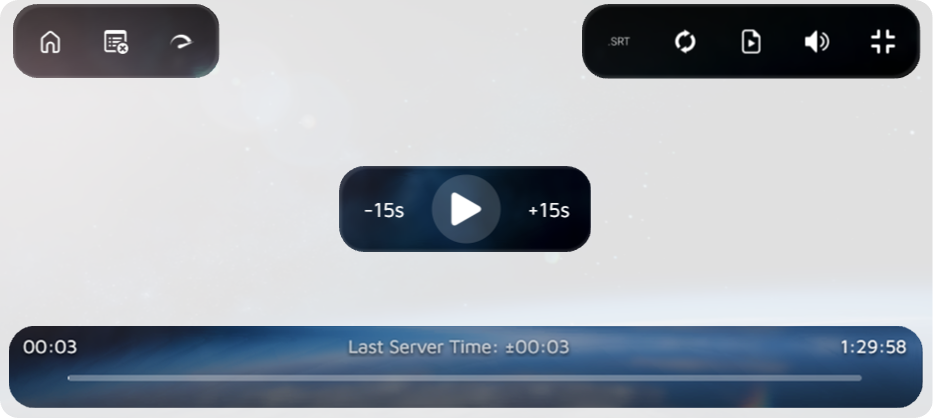
You can compare the Server Time (visible in player's bottom-center) with your video's time to see if you're behind or ahead. If the value differs more than ~5 seconds, you can press the sync button to force all clients to the server time.